
NEWS
Google Home Pays a Reliability Bill on Find My Phone
Google’s September 30 Home notes patch Find My Phone, 0% light shutoff, and Matter tiles, while Gemini for Home stays in Early Access.

Google’s September 30, 2026 Home notes list 19 changes, and almost all of them patch things that already existed. Gemini for Home, still labeled Early Access, gets a more dependable Find My Phone command, quieter rooms, and a fix for the loop that answered “I didn’t understand.”
The Google Home app, rolling out on Android as version 4.31.27.1, now sends a real off command when you drag a light to 0%. That is the bill coming due: a house that already had the buttons, and kept failing the last inch.
The Switch You Cannot Undo
Gemini for Home is the voice assistant Google is putting on Nest speakers and displays in place of Google Assistant. Basic control, media, alarms, timers, calendars, notes, lists, reminders, and general questions stay free. Gemini Live, camera history search, and Home Brief sit behind Google Home Premium.
Once a home switches, everyone in it uses Gemini. Compatible gear added later uses Gemini too. Google’s help page is blunt: the home cannot switch back to Google Assistant.
GEMINI FOR HOME, AS GOOGLE LISTS IT
- The label: September 30 notes still file the voice work under Gemini for Home (Early Access).
- The countries: Early access is listed for 20 markets, including the United States, the United Kingdom, Japan, and Mexico.
- The languages: Danish, Dutch, English, French, German, Italian, Japanese, Norwegian, Spanish, and Swedish.
- The floor: Home app 4.1 or newer, Cast firmware 3.76 or newer on speakers, Fuchsia firmware 28 or newer on displays.
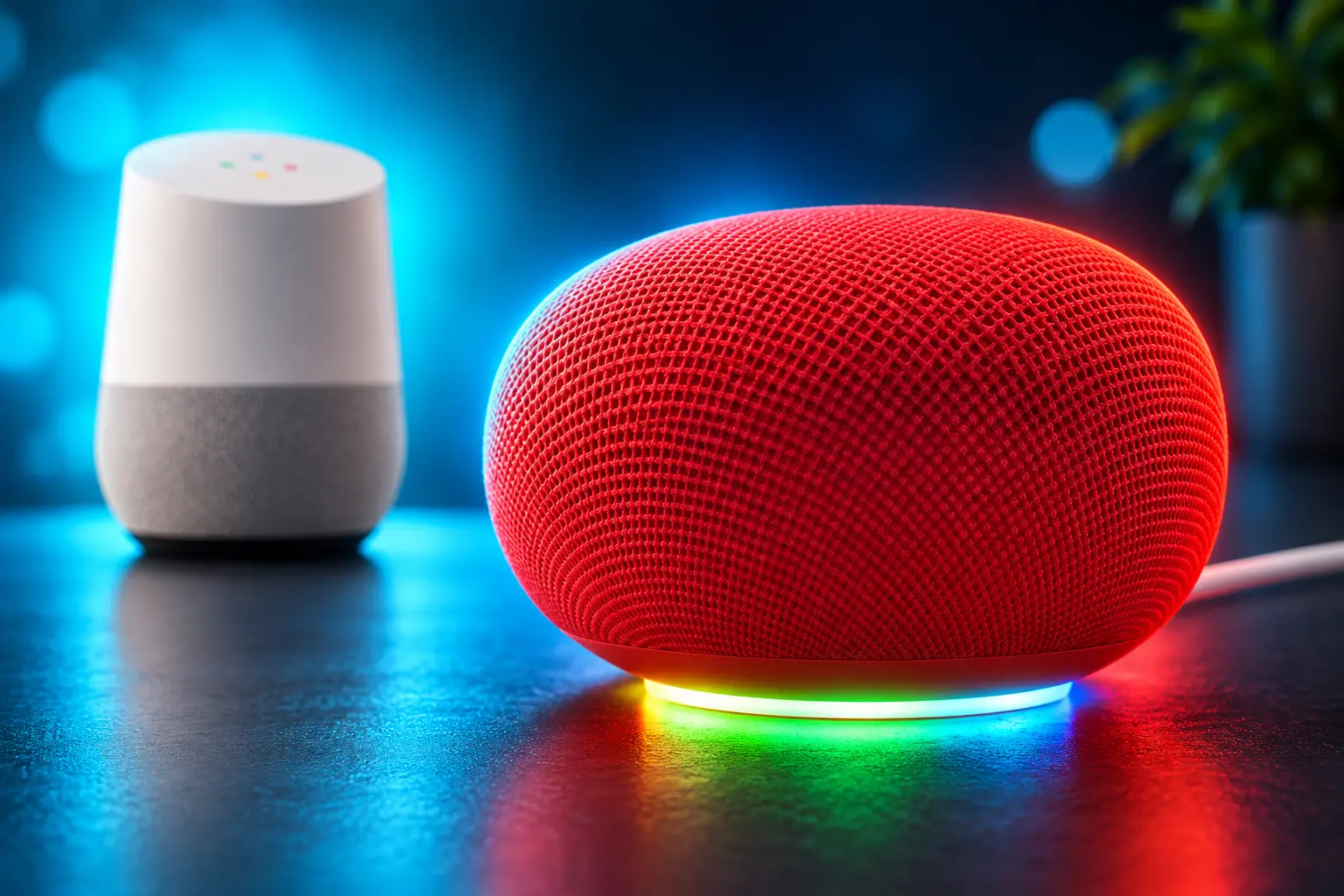
That Early Access tag is the tell. Google is still patching hearing, speed, and old commands in the same notes that sell a more natural assistant. The new Google Home Speaker gets you into the opt-in; older Mini, Hub, Audio, and Nest Hub Max units are on the compatible list, with Gemini Live held off some first-generation boxes.
Find My Phone Kept Missing After Gemini
Google calls Find My Phone a fan-favorite in the same sentence that admits it needed work. The September 30 voice list includes quality and reliability improvements for Find My Phone when you ask Gemini to locate a handset. It does not say what broke.
Rolled out quality and reliability improvements to this fan-favorite feature when you ask Gemini to help locate your phone.
Google Home release notes, September 30, 2026
The command is old. You still need a Nest speaker or display, a signed-in phone with Find My Device on, power, and a network. Google’s own steps say you can ring your phone from a Nest speaker even in Do Not Disturb, and that accessories on the Find My Device Network can ring the same way if they are findable.
If several devices share the home, “find my phone” is the vague ask. Google tells people to say “find my Pixel” or “ring my headphones,” because the speaker may ping the wrong slab. On iPhone, the path is narrower: Google says it is available in the United States and Canada, Critical Alerts have to be on, and the ping runs about 25 seconds to the iPhone that last signed into the Home app.
The Gemini cutover already produced a paper trail. On April 24, 2026, a Google Home Mini owner writing as KazE said the speaker kept claiming the voice did not match after the upgrade, even after Voice Match was toggled and retrained. A reset helped until it did not. That is the class of failure a “reliability” line is meant to cover, and it is why a command this old is still in the notes.
A Dimmer at Zero Left the Bulb On
The sharpest app fix is also the smallest motion. Sliding brightness to 0% on a single light or a group dimmer left some bulbs powered at minimum glow. The room looked off. The lamp was not.
Google now sends a definitive power-off at 0%, and it names the two costs it was eating: wasted energy, and an unexpected ambient glow. Anyone who used the slider as an off switch was paying for a night light they did not want. The patch is a one-line confession that the controller was dimming when people thought they were killing the circuit.
That sits next to another honesty problem in the same batch. Matter switches could fail to show offline, and taps on the All Devices tab did nothing, so a dead switch still looked alive. Camera and doorbell tiles get filled icons and accent color when they are actually online, which is the same job from the other side: stop making the grid guess.
What the Home App Fixed on September 30
Five controller notes do the unglamorous work. They are not new device types. They are the Home app admitting the tile, the gesture, and the device class were wrong.
DEVICE CONTROLLER FIXES
| Fix | What was wrong | What the app does now |
|---|---|---|
| Light shutoff | 0% brightness left bulbs at minimum glow | Sends a real power-off |
| Camera tiles | Online cameras and doorbells were hard to spot | Filled icons and accented tiles when live |
| Matter switches | Offline status missing; All Devices taps ignored | Greyed-out tiles when disconnected |
| Favorites gestures | Long-press failed to open controllers or routine editors | Long-press opens the right editor |
| Window coverings | Awnings and curtains were typed as blinds | Awnings and curtains map to the right type |
The covering fix is easy to shrug off until a routine tries to “close the blinds” on a motorized awning. Wrong type, wrong command, wrong stop point. Favorites is the same class of miss: the tab people actually touch, and the long-press did not open.
Android is on version 4.31.27.1 for this wave. Google’s notes also call out iOS in setup and in the camera player, so the app work is not one-store-only. Gemini’s voice list is separate, and it only lands for homes already in Early Access.
Nest Setup Stops Asking for Wi-Fi Again
Setup is where a smart home loses people, and Google spent two notes on it. Nest pairing on iOS and Android gets Bluetooth and Wi-Fi fixes aimed at dropouts and stalls in the first session. The second note is the one that changes the next device, not the first.
The Home app can now cache network credentials on the phone and reuse them when you add another device. You still type the password once. You should not have to perform the same Wi-Fi ritual for every bulb, plug, and doorbell in the same house.
That is the expansion problem hiding under Find My Phone. A speaker that cannot ring a handset is a trust hit. A setup flow that dies mid-pair is how the next Nest device never joins. Caching the network is a small store of secrets with a large payoff if it holds.
Doorbell Chimes You Can Preview in the App
The one true launch in the camera section is audio preview for Nest Doorbell themes. Google wants people to hear a standard chime or a festive theme in the app before they hang it on the door. The path is Doorbell camera settings, then Doorbell theme. Seasonal sets rotate through the year; the notes lean on spooky season without naming a calendar of files.
The rest of the camera work is playback debt, four bugs deep, and three of them are Android.
CAMERA PLAYBACK BUGS IN THIS BATCH
- Android buffering: Historical clips stuttered or stalled mid-play; the player should hold a smoother buffer.
- False end screen: A clip opened from a notification could play, then flash “Video not available” instead of pausing at the end.
- Walmart Onn history: Timeline scrubbing and recorded play could spin forever even while live video worked.
- iOS scrub while paused: Dragging the progress bar on a paused event could infinite-load or fail to show the chosen frame.
Live view that works while history spins is a special kind of broken, because the camera is clearly on the network. Automations get one related cleanup: multi-button switches and subdevices now carry the parent device name, so identical buttons are not a guessing game when you build a routine.
Gemini Now Listens Past the TV and the Second Language
The Gemini list is six items, and five of them are about not dropping a command you already gave. Background conversations should be filtered so Gemini ignores less of what you said over the TV. Everyday smart home, media, alarm, and timer requests are supposed to feel snappier. Custom commands inside Routines should be read the same way as a spoken line, whether the routine starts by voice or is set to play on a named speaker.
Language work is aimed at homes where three languages are commonly spoken. That is a specific household, not a marketing sweep: mixed-language kitchens are where an assistant guesses the wrong tongue and then the wrong light. The sixth item is the loop. After an error in a back-and-forth, Gemini could get stuck repeating “I didn’t understand” on every follow-up. Google says that loop should stop.
WHAT WE KNOW
- The date: Google dated the notes September 30, 2026, and said features can lag even on the latest app.
- The split: Voice work is Gemini Early Access; controller, setup, camera, and automation work ride the Home app, including Android 4.31.27.1.
- The lock: Switching a home to Gemini for Home cannot be reversed, per Google’s own Gemini help page.
WHAT IS UNCONFIRMED
- The Find My Phone change: Google did not publish what failed, which devices, or which error strings the patch targets.
- The iOS build: No matching iOS version number sits in the notes next to 4.31.27.1.
- The bulb list: The 0% power-off is described for single lights and group dimmers, not for every brand and Matter fabric in a house.
A more dependable ring from the kitchen speaker is the line people will try first. The 0% shutoff is the one they will notice at night, when the hall stops glowing. Both are chores Google is doing because the basics were still leaking, and Early Access is still the name on the door.

Airborne DNA Identifies Burglars and People Never There

The Irkutsk Lab Death Follows an Old Plague Pattern

Data Centers Take the Trades That Housing Just Lost

The Late Pieces Steal Both WNBA Semifinal Openers

Kagi Ends Orion for Linux and Hands Off the Code

Trend Micro’s AI Boom Cuts Its 2026 Operating Profit

US-China AI Safety Talks Rest on a No-New-Law Pact

Apple Freezes the iOS 27 Public Beta Before the Event

GPT-6 Astra Ships as OpenAI’s Scientist Urges Caution

An Oral DHB Prodrug Clears Mouse Tumors With PD-1
-
 NEWS2 months ago
Trend Micro’s AI Boom Cuts Its 2026 Operating Profit
-
 NEWS2 months ago
US-China AI Safety Talks Rest on a No-New-Law Pact
-
 NEWS2 months ago
Apple Freezes the iOS 27 Public Beta Before the Event
-
 NEWS1 month ago
GPT-6 Astra Ships as OpenAI’s Scientist Urges Caution
-
 NEWS2 months ago
An Oral DHB Prodrug Clears Mouse Tumors With PD-1
-

 NEWS2 months ago
Bell Wins the Southern 500 and Closes to 12 Points
-
 NEWS1 month ago
AI Notetaker Suits Leave Meeting Hosts Holding the Risk
-

 NEWS1 month ago
AppLovin’s 83% Margin Guide Comes With a Compute Bill